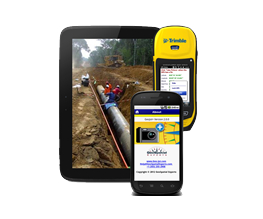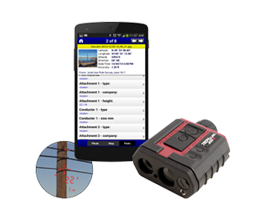
GeoJot+ is an annual subscription service that enables your organization to quickly capture field data with geotagged photos from mobile devices, automatically upload them to the cloud, then process them back in the office creating reports, maps and database input.
In order to use GeoJot+, sign up for the free 15 day trial. In a confirmation email, you will receive a serial number which will unlock the App and Core for 5 users. For more information please checkout the GeoJot+section on our website.
In the confirmation email, you will receive a link to Download GeoJot+ Core as well as the app. The GeoJot+ App should be loaded on Apple and Android mobile devices for field data collection. Download the GeoJot+ app for free from the appropriate app store:
- From your Android device, click here to download.
- From your Apple device, click here to download.
Please click on the GEOJOT+ LOGIN menu option on the top of our website to login to the Adminstrator’s Dashboard to manage App and Core users in your account.
GeoJot+ Core Versions
GeoJot+ Core 2.6.14 April 13th, 2020
- Added support for ArcGIS 10.7
- Bug Fixes
GeoJot+ Core 2.6.12 September 4th, 2018
- Added support for ArcGIS 10.6
- Fixed Google Maps warning in maps.
GeoJot+ Core 2.6.7 September 13th, 2017
- Switched to Google Maps in Map View
- Fixed photo cropping bug in output
GeoJot+ Core 2.6.1 September 27th, 2016
- Updated for compatibility with ArcGIS 10.5
GeoJot+ Core 2.6.0 September 27th, 2016
- Added ability to sort by any attribute when viewing photos in a project
- Added ability to group photos by the data in any attribute field to create reports, ie – all photos where condition = good can be grouped together for a report.
- Added ability to select photos on the map by drawing a selection rectangle. Window will now scroll to first selected photo.
- Added True Concatenation in the data editor tab to copy data from one field to another for a group of photos, concatenating the field name with the data. This allows the generation of Title by combining one or more form fields together (Author, Date, FMSSID, etc.). Also add ability to concatenate the field name with the data (“FMSSID=2324”).
- Added the ability to geotag photos by attribute not just by date/time or file name in the Geotagging wizard (Enterprise Only)
- Added ability to use form name or other fields for splitting output into different shapefiles, documents, CSV files, Google Earth files, etc..
- When importing photos, GeoJot+ Core now ask user if they want the currently loaded form applied to the new photos.
- Added append function to Form Editor to append one form to the end of another
- Fixed crash when importing over network
- Added separate import photos default directory
- Fixed measure distance calibration error
GeoJot+ Core 2.5.6 February 23rd, 2016
- Added support for ArcGIS 10.4
- Added Auto Increment to the Forms Editor allowing users auto-increment a form field value after every photo is taken. This can be used like a photo number
- Added the ability to Retain Values per field in each form using the Forms editor. Retain values must now be set on a per field basis instead of for an entire form.
- Added support for ArcGIS MapPackages (.MPK files) as background maps to reports
- Fixed display of TIFF images in ArcGIS MXD/MPK background maps
- Other minor bug fixes
GeoJot+ Core 2.4.11 September 22nd, 2015
- Enhanced ArcGIS 10.3 support
- Addresses from reverse geocoding in the GeoJot+ App now display in Core
- Added duplicate file warning on photo import
- Moving text box in photo now sticks
- Fixed Elevation issue with Garmin Monterra
- Adding and removing watermark items now redraws sample
- Fixed bug -editing Field Type in Form Editor, shows Field 1, but when change to Field 2, shows Memo02
- Fixed NPS concat problem
- Fixed typing bug in attribute editor
- Added XMP/EXIF for NPS
- Added Author and Copyright as fields for NPS
2.4.0 January 6th, 2015 CORE
- Upgrades to provide compatibility with ArcGIS 10.3
- Data Collection Forms can now have up to 80 fields
- Added “Description” for form fields. Administrators can now create desciptive help text that explains each field in a data collection form. This description will be accessible by all field users when they access that form through the app.
- New easy datum/projection selector, to easily change the datum or projection
- Added unique id to photo fields
- Added Form Name to photo fields that shows the form used in GeoJot+ App
2.3.12 June 3rd, 2014 CORE
- Sped up processing of photos
- Implemented many memory optimizations, reducing out of memory errors
- Created a work around in Google Earth output for specific cameras outputting bad EXIF headers - specifically Canon and Olympus cameras
2.3.6 March 14th, 2014 CORE
- Renamed “Attribute List” and “List” to “Form”.
- Renamed “Attribute” to “Field”
- Renamed “Memo” to “Field”
- Fixed overview map problem with ArcGIS .MXD file
2.3.0 September 9th, 2013 CORE
- Added options to “Add Attribute List” in Attribute Editor, to add attribute names and values to memos of photos. Can also apply the list currently loaded to selected photos (like if you just added them to an existing project).
- Added option in CSV and Contact sheet report to output Group By photos (If Group By is selected in Attribute Editor)
- Added option not to create watermarked photos in Shape File, Geodatabase, and Access DB output. Unchecking will speed up processing.
- Added support for ArcGIS 10.2 (Toolbar)
- Made default maps Google instead of ESRI
2.2.1 June 13th, 2013 CORE
- Added ability to group photos together for reports and .csv ouput
- Group by filtering (affects csv and contact sheet report)
- Group by Contact sheet report
- Group by CSV report
- Added report enhancements
- Make Photos Square
- Constrained cropping
- Updated BlueMarble to 6.6
- Update Atalasoft to 10.3
- Updated LogicNP Folder/File View to 2012
- Added EKA track log reading
- Fixed distance calculation
- Fix double quoting CSV output
- Fixed bad date/time causes GeoTag wizard to crash
2.0.9 March 1st, 2013 CORE
- Fixed MGRS support
- Added support for 40 Memos
- Added display of Laser Rangefinder Height
- Added display of GPS Accuracy
- Added display of GPS Lock value
- Added Attribute names to Memo selection (watermark, rename, attributes table)
- Fixed Live Map output in HTML files
- Fixed GTS branding
2.0.6 January 29, 2013 CORE
- Added ability to use the dropdown lists in the Attribute Editor
- Added larger size of thumbnail for selecting photos during processing
- Output GeoJot Memos by default
- Made National Park Service GUID read only
- Fixed ArcGIS 10.0 Toolbar
- Fixed GeoTag manual time entry not letting hours > 12
- Fixed undo bug
- Fixed *varies* text when multiple selected
- Fixed order of original file name and filename
- Added ability for premier resellers to have a different start screen
GeoJot+ App Versions
ANDROID
2.6.4 2016-9-27 ANDROID
- New!!! Collect new data based on a point in a layer (GPS or JSON), or using an existing GeoJot+ photo. Short How To video coming later this week ..
- Added “Rate This App”
- Added menu item in Camera to cancel current Group Photos
- App shows 0.1 ft resolution if GPS accuracy higher than 10 ft (or 10 meters)
- App shows “No Photos” if camera roll is empty
- Increased resolution for 200x TruPulse laser to 0.01, resolved missing line issue
- For Android 4.4 and above, can only change camera folder to external drive (cannot browse to folder because of Android restrictions)
2.5.6 2016-5-2 ANDROID
- Added menu item in Camera to cancel current Group Photos
- For Android 4.4 and above, can only change camera folder to external drive (cannot browse to folder because of Android restrictions)
2.5.1 2016-2-23 ANDROID
- GeoJot+ now starts in Camera mode. To get to the other screens, use the android navigation button or swipe in from the left. This will bring up a menu to go to Camera Roll, Map, Forms, Settings and Help.For any screen, menu items can be accessed by clicking the menu button on the upper right.
- Only supports Android version 4.x and above (older versions of Android can still use the current App)
- For Enterprise users
- Google Drive and FTP are now available for Cloud data transfer
- New Sync Forms feature allows users to sync forms to a folder on a cloud drive
- New Sync Settings feature allows users to sync settings to a settings file on a cloud drive
- Predictive text: Added new feature for data entry, as you type, only items in the dropdown list that match will be shown, allows you to quickly find a value from a long list of values.
- Auto-increment: Added new option to auto-increment a form field value after every photo is taken. Can be used like a photo number
- Check the “Auto-Increment” option on the field
- Provide a Default Value to start the numbering (i.e. 100)
- Retain Values is now available per field instead of for the entire form
- The option to Retain Value is now on a per field basis, instead of the whole form.
- Retain Values setting removed from Advanced Settings
- You have to edit any forms you want to add Retain Value for the fields in the form
- Cloud
- Added Google Drive and FTP for enterprise users
- Will now resend photos that failed
- New notifications for cloud uploading (standard android notifications instead of the pop up message)
- Number of photos to upload will now appear on the GeoJot icon on the android home screen (depending on device)
- Added User Name and Form name as options for File Name settings and Cloud Folder settings
- Added option to look up and store the current Address – reverse geocoding
- Moved the map from under the camera roll, to the top level for easier access
- Setting Changes
- Added Enable Barcode Scanning to Advanced Settings, will enable the barcode button during data entry
- Added Review Photo, Enable Flash, Shutter Sound, Zoom Buttons to Camera Settings
- Moved Filename Prefix and Filename Field from Cloud Settings to Camera Settings
- Moved GPS settings to its own settings page
- Ability to export settings to a file, so another using can click on it and import the settings
- Move About and License to the Settings screen
- Back on Field Entry after taking photo asks to discard photo, have to press Done button to save
- Back on Value Entry just cancels the current edit, have to click Done, or a value from the list, or Enter on keyboard
2.3.19 2014-12-16 ANDROID
- Increased the number of possible fields in a form from 40 to 80
- Fix problem with Group By photos if you delete a photo from camera roll before entering attributes.
2.3.17 2014-09-19 ANDROID
- Added GPS averaging functionality
- Add Average Button to camera display
- Add message about GPS not enabled on startup (once a day)
- Add Display button options in Advanced Settings (Lock, Flash, Average)
- Set default for Lock/Flash/Average buttons OFF
- Add Lock/Avg/Flash Button options to advanced display
- Remove Pitch/Roll display, replace with Average
- Added description which serves as help functionality explaining the fields within a form. The description is created by the user in Core running on a computer.
- Fix bug in camera roll/upload to dropbox (errors from google play dev console)
- Updated help for averaging
- Added support form to About screen and help screen
- Fixed camera lock up when returning from sleep
- Added ability to set accuracy requirement levels for GPS averaging functionality
- If you look at photo in camera roll it will tell you how many points you used to create the GPS average
- Added “fix” to items in metadata
- Updated help for gps averaging
- Fixed crashing issue when changing list on photo before editing
2.3.6 2014-03-14 ANDROID
- Renamed “Attribute List” and “List” to “Form”
- Renamed “Attribute” to “Field”
- Renamed “Memo” to “Field”
- Fixed rename Form bug (rename a form caused crash when trying to edit)
- Fixed rename by field not working with Group By turned on
2.2.0 2013-06-13 ANDROID
- New Grouping Features enabling users to capture multiple photos with the same data
- Added OpenStreetMaps for non-google play devices (Rampage, Trimble)
- Laser Enhancements
- Camera screen shows both laser distance/bearing and height at the same time
- Camera screen shows icon when connected to Laser via Bluetooth
- Photo Detail map now shows laser target location
- Laser target (offset position), now can be moved.
- Can enter any Laser HV, or ML value in attribute entry
- Can now enter laser values in attribute editor (shoot laser was editing attribute)
- Laser now shows 0.1 ft. and 0.1° resolution
- Can now move offset point even without laser (creates a laser point)
- Fixed storing laser data as magnetic, now store as true
- Fixed photo dir not updating when laser point moved
- Fix startup lock with bad internet
- Fixed problem with deleting photos/updating photos (FileKey hash)
- Changed photo menu text (upload all, delete all, etc)
- Fixed some memory problems (camera roll now single top)
- Moved filename prefix and filename attribute to cloud options
- Added “Return” on serial number tries to register
2.0.10 April 10th, 2013 ANDROID
- New dropbox api
- Switched to compiled version of sensalanExif
- Fixed error when thumbnail too large (delete if too large)
2.0.9 March 1st, 2013 ANDROID
- Added 20 more memos (40 total)
- Show attribute name along with memo number in Camera Settings Filename Attribute and Cloud Settings Folder Attribute (i.e. “Memo01 (Color)”)
- Added laser height to exif, and shown on picture detail screen
- Added UTM and MGRS support
- Streamlined User Interface
- When you select an item from a list during data entry, it enters the value and goes back to the attribute list so you don’t have to press the done button.
- When you activate, it automatically goes back to the home page, so you don’t have to click the done button.
- When you link Dropbox account, it will automatically go back to the providers screen, and automatically select Dropbox as the provider.
- Set keyboard visible on name edit
- Hid keyboard on list entry
- Hid keyboard when the dropdown list is brought up during data entry
- Show keyboard when entering or editing the name of a new list, new attribute or new value.
- Added more null checking, closing IO resources.
- Fixed flashing of alt/no alt (was setting network location)
- Fixed spelling errors in help
- Fix GTS links
- Fix View Account link to link to
2.0.6 (15) Jan 25 th, 2013 ANDROID
- New Google Maps
- 4 levels of maps, Normal, Hybrid, Satellite, Terrain (Old had Normal and Satellite)
- Tilt (two finger swipe up and down) and Rotate (two finger rotate) map
- Indoor maps for stores and airports
- Faster Maps
- Navigate to Photo (Camera Roll-Press and hold, Picture detail – Menu Nav To) (Team Only)
- Move point on camera detail map (Press and hold point to move) (Team Only)
- FOV Cones on picture detail
- Skin for GTS, Snapfile, AOM, NPS (replace splash and about)
- Updated Eclipse environment
- Can now install on Trimble T41 (maps will not work, but the rest of geojot will), has to use OpenGL V2
- Updated Dropbox to newest SDK (1.5.3) (Bug fixes)
- Fixed zoom and exposure on Samsung camera
- Use zoom in/zoom out keys if present (Samsung Camera)
- Fixed lists resetting back to the first item when returning (attribute lists, attributes, photos)
APPLE
2.5.1 February 23, 2016 APPLE
- For Enterprise users
- Google Drive and FTP are now available for Cloud data transfer
- New Sync Forms feature allows users to sync forms to a folder on a cloud drive
- New Sync Settings feature allows users to sync settings to a settings file on a cloud drive
- Predictive text: Added new feature for data entry, as you type, only items in the dropdown list that match will be shown, allows you to quickly find a value from a long list of values.
- Auto-increment: Added new option to auto-increment a form field value after every photo is taken. Can be used like a photo number
- Check the “Auto-Increment” option on the field
- Provide a Default Value to start the numbering (i.e. 100)
- Retain Values is now available per field instead of for the entire form
- The option to Retain Value is now on a per field basis, instead of the whole form.
- Retain Values setting removed from Advanced Settings
- You have to edit any forms you want to add Retain Value for the fields in the form
- Setting Changes
- Added Enable Barcode Scanning to Advanced Settings, will enable the barcode button during data entry
- Moved GPS settings to its own settings page
- Added the Ability to send a settings configuration file to users via email, the user can then click on the file and import the settings
- Moved About and License to the Settings screen
2.4.27 September 23, 2015 APPLE
- Updates to app for compatibility with new iOS9
- Added ability for user to store GeoJot+ photos in private camera roll instead of only the public camera roll
- App defaults to use private camera roll
- Users now able to edit data and location from the Private camera roll
- Updated terminology from “GeoJot+ Album” to “Camera Roll”
- Added delete buttons to camera roll and photo detail screen.
- If using iOS 8.3 or higher, the public camera roll, user will receive messages that they are not able to edit data or location in the camera roll
- Moved the ability to rename photos to Settings>Camera. It had been located under Settings>Cloud
- Added functionality to use form name and user name for dynamic photo renaming and dynamic cloud folder organization
- Upload counter displaying on GeoJot+ icon
- Updated icons in app
- Fixed colors of title bar
- Updated app to be able to utilize all 80 fields in a form for renaming and cloud folder organization
- Added functionality to delete all off private camera roll in one step
- Stabilized number on camera roll when using group by
- Updated launch screen
- Updated help text
2.4.12 June 16, 2015 APPLE
- Added functionality allowing GeoJot+ to upload to DropBox continuously in the background even if user has stopped collecting new data
- Added automated resending of failed photos upon app startup, restart, reactivate, and background location update
- During batch photo upload, photos now show up as waiting to upload instantly
- Added badge icon representing number of cloud photos left waiting to upload
- Added notification when all photos are done uploading in the background
2.4.7 June 8, 2015 APPLE
- Fixed GPS problem
2.4.0 May 27, 2015 APPLE
- Added Reverse Geocoding. If enabled in the Advanced Settings, GeoJot+ will provide you the nearest street address to your current GPS location
- Added “Description” so you can include a description of each field which appears in a form on your mobile device
- Added “Very High <= 5m” accuracy requirement option
- Increased number of data entry fields per form from 40 to 80
- Group by Photos now works in iOS 8.3 and above (work around for Apple’s bug in iOS 8.3)
- Group by Photos now works for up to 50 photos
- Now supporting full screen on larger devices such as the iPhone 5 and 6
- Fixed barcode data entry issue
- Fixed editing issue in group by photo and editing
2.3.7 May15, 2014 APPLE
- Fixed Dropbox problems for high volume photo upload
- Added “Cloud Upload Unsent” option to camera roll, uploads only photos not already sent to the cloud
- Camera icons now showing when app is started in landscape mode
- Resizing photos on capture and during upload now work together
2.3.6 March 14, 2014 APPLE
- Renamed “Attribute List” and “List” to “Form”
- Renamed “Attribute” to “Field”
- Renamed “Memo” to “Field”
- Fixed problem with deleting a list, then re-adding it renames it with a “-1” at the end
- Added upload all function to camera roll
- Added 1 more digit to lat/lon display
2.2.2 June 25, 2013 APPLE
Minor Bug fixes, including:
- If Cloud Auto Send was turned on, you couldn’t manually upload a file to the Cloud.
- If no List was selected as default, you couldn’t edit the Cloud Settings.
- Group Photos were not being uploaded to the cloud after the attributes were entered.
2.2.0 May 17th, 2013 APPLE
- You can now take several photos and then be enter the data once when you are done (Group by functionality).
- You can now move the location of the photo after the photo has been taken.
- You can now edit the attribute data after the photo has been taken.
- GeoJot+ Photos are now in their own Album in the device’s Camera Roll, so you only see GeoJot+ Photos inside of GeoJot (you don’t see the other photos on the camera roll)
- Fixed iPad lockup when starting in Landscape mode.
- Other minor bug fixes.
2.0.11 April 19th, 2013 APPLE
- Increased number of memos from 20 to 40
- Added MGRS and UTM formats for displaying position
- Added Attribute Name to Subfolder and Filename Attribute Cloud Settings, “Memo1 (Sign Type)”
- User no longer has to press “Done” after selecting a value, registering or signing into Dropbox
- Automatically selects Dropbox as cloud provider when signing into Dropbox
- Added barcode reading (Team Only)
- Added rotated arrows
- Added map option for photos (share button) (Team only)
- Added skins for partners
- Added device name to platform
- Fixed attribute selection scroll bug
WINDOWS MOBILE
2.3.10 March 14, 2014 WINDOWS MOBILE
- Renamed “Attribute List” and “List” to “Form”
- Renamed “Attribute” to “Field”
- Renamed “Memo” to “Field”
- Fixed estimated accuracy